For students
Know what to do this week.
See what your job needs. Do one step each week. Earn a card that proves your skills.
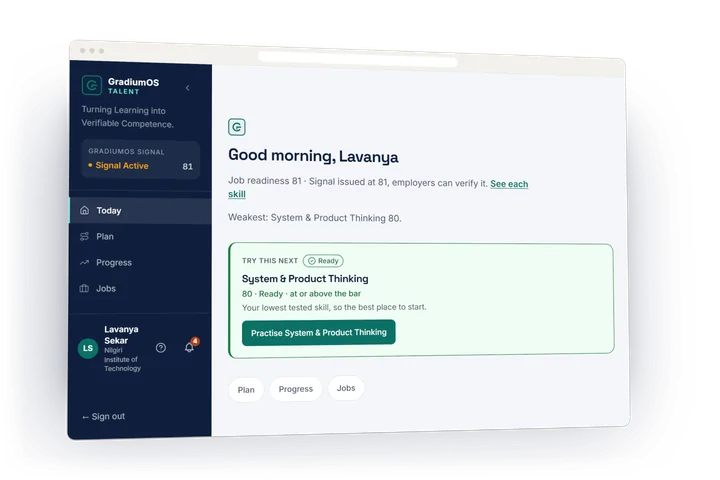
A clear path to your job.
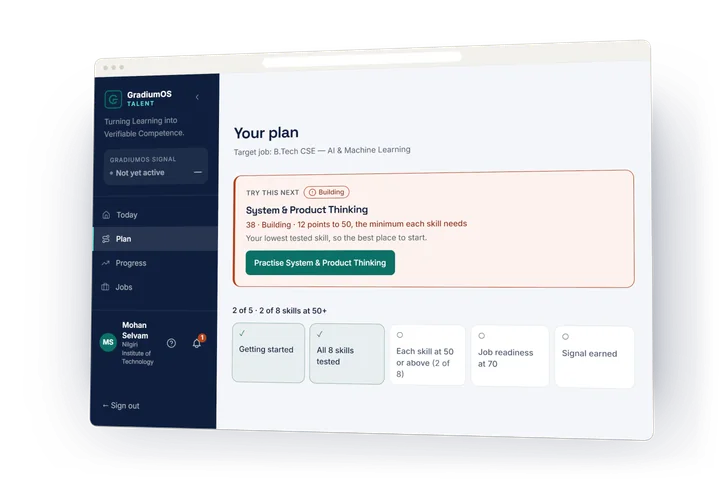
Your plan has a few big steps. You always know which one comes next.
- A first check shows where you start.
- One step each week.
- A new check shows how far you have come.
Read more: if you get stuck
Sometimes a plan stalls or a score stays the same. Your college can see this and give you a different plan.
Pass, and the Signal is yours.
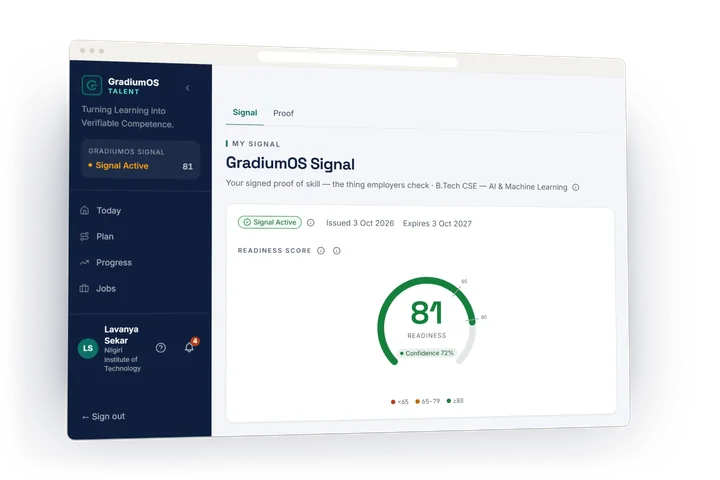
A Signal is your skill card. You share it. You choose who sees your name.
- No person can give it or change it.
- Share a link anyone can check.
- Employers see a code name until you say yes.
Read more: can a Signal be taken back?
Only by the system, never by a person. If your work is marked again and falls below the level, the Signal is withdrawn.
How a Signal is withdrawnFour permissions. Three start switched off.
Your permissions
- Mark my workNeeded
- Read my resumeOff
- Show me to employersOff
- Use the AI tutorOff
Marking your work is needed. The other three stay off until you turn them on.
- No camera.
- No microphone.
- No screen recording.
Look around. No account needed.
The demo is read-only. Want it at your college? Ask your placement office to write to us.
Open the student demo