For employers
Check skills yourself, not just a CV.
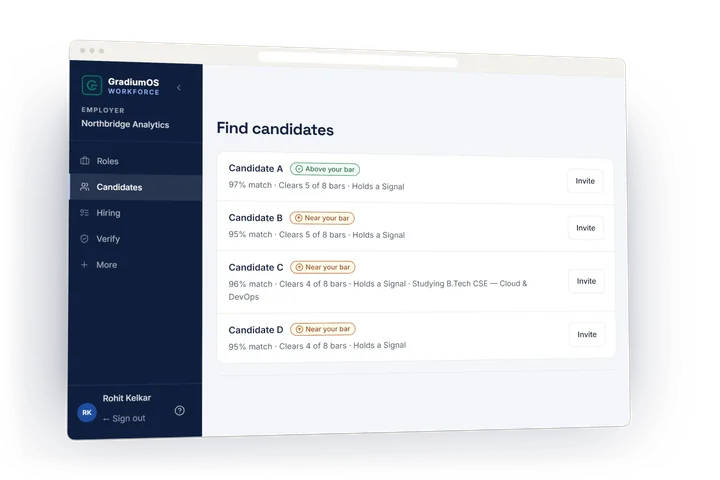
Each candidate brings a Signal. It is a skill card you can check online.
Set the level the job needs.
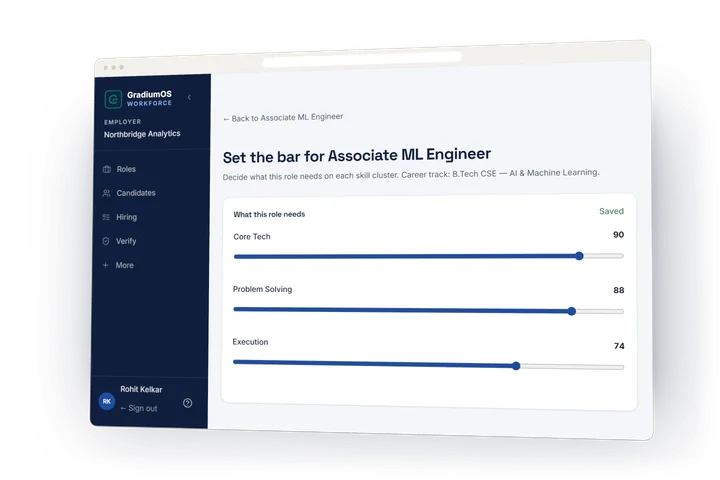
Set a level for each skill. See which candidates reach it.
Read more: when no one reaches the level
Some jobs have applicants but no Signal yet. The job view shows how far each applicant is from the level.
A code name until they say yes.
Skills come first.
You see scores and a Signal before anything else.
A code name stands in.
The real name stays hidden while you compare.
The candidate decides.
You see a name only when they agree, or apply to your job.
You judge the skills, not the name.
Every hiring step on one board.
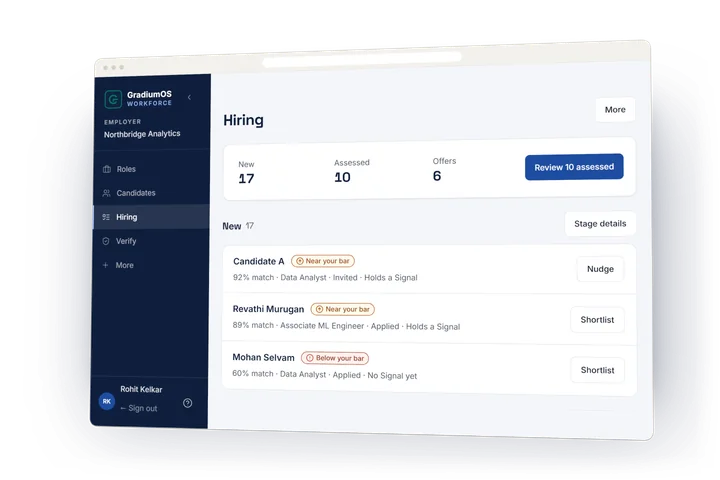
Invite, shortlist, interview and offer, all in one place for each job.
No person marks the work.
Questions with one right answer use a fixed rule. AI marks the rest with a fixed guide.
- No examiner.
- No moderator.
- No person checks the marks.
Look around the employer demo.
It is read-only, with sample candidates. Write to us to use it for your own roles.
Open the employer demo